
When you now click on new assignment and select the move-out, you can now base it on the initial inspection/entry that was made in the past:
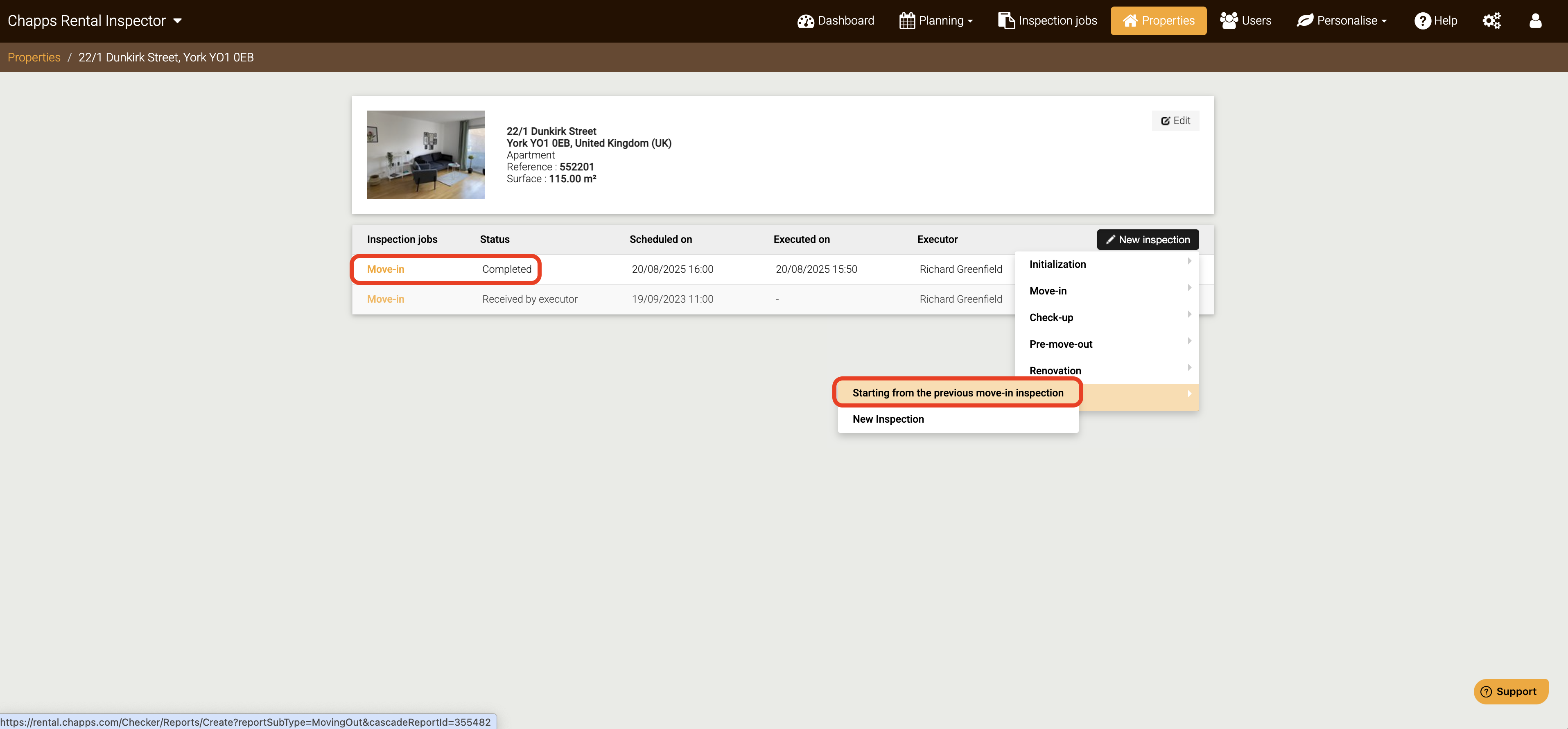
The principle also works for other types of inspections. For example, you can base a check-up on the move-in, a move-out on a preliminary pre-move-out and even a new initial move-in on the previous move-out.
This is what we call the Rental Inspector's cascade system. You can base each inspection of a property on the previous one. Please note that this is only possible if the logical cycle is maintained, with the move-in and move-out opening and closing a cycle:
move-in > check-up/renovation* > pre-move-out* > move-out > move-in > ... etc.
*optional
For example, basing a new move-in on the previous move-in - without the cycle being closed with a final inspection/exit - is not possible. In this case, you must first carry out a (fictitious or actual) move-out first.