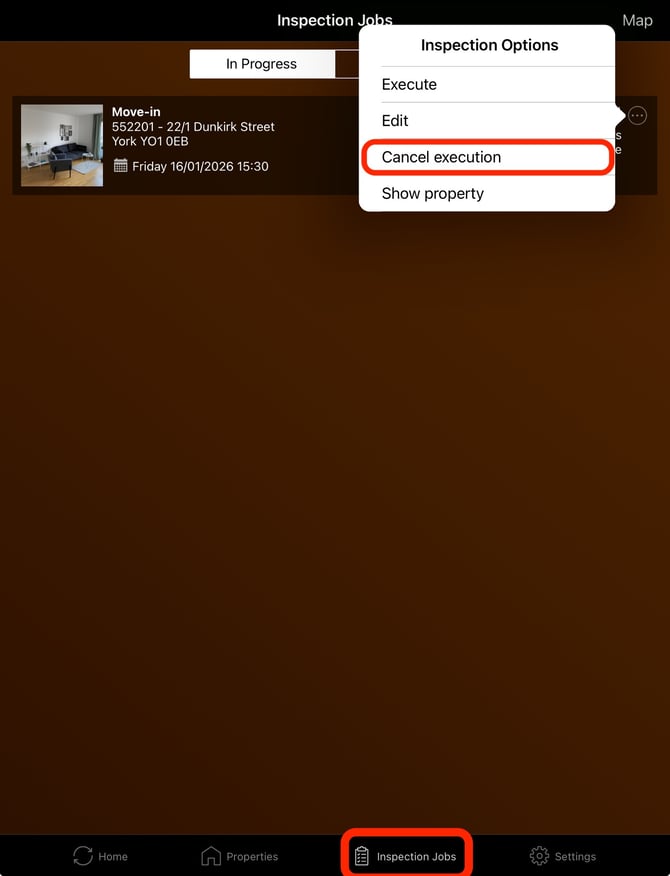
When there is an assignment for a rental inspection that does not take place, it can be cancelled. How this is done depends on the status of the rental inspection.
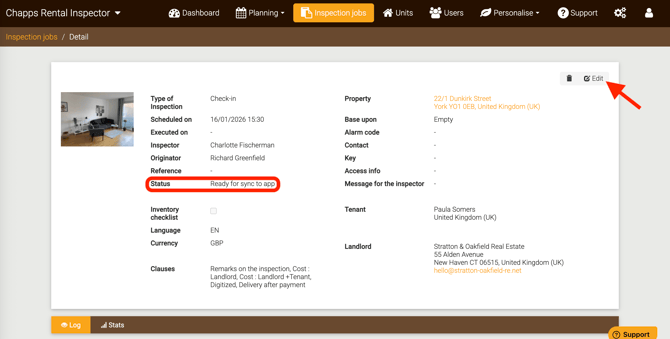
1. Status = Ready for synchronization to the app
When the rental inspection is still in the status “Ready for synchronization to the app,” you can delete the assignment in the Rental Manager (via the trash can icon) or edit it (for example, to assign it to another inspector).
2. Status = Received in the app or In progress (app)
This means that the assignment has been transferred to the app. In this case, the assignment can only be cancelled in the app itself by the inspector.
After cancellation, the inspector must synchronize the app so that the assignment is sent back to the Rental Manager. In the Rental Manager, the assignment can then be deleted or edited as described in point 1 above.