
For the app
The Rental Inspector app is available for iOS (Apple) and Android operating systems.
The app is optimized for tablets or smartphones with a screen of at least 6-inch. These provide the best user experience and are more ergonomic. We recommend a minimum of 256 GB storage, and 512 GB or higher is even better.
Our top pick for the best experience:
-
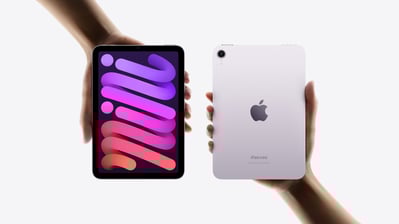
Apple iPad Mini (7th generation, 2024) with 512 GB and Wi-Fi
-
Protective case with a hand strap (various models available)
-
A stylus with a soft top (Apple Pencil is optional but not required)
The app can be found in the App Store (iOS) or the Google Play Store (Android). You can download the apps for free, but you of course need a paid subscription to use them.
Recommended tablets & smartphones:
-
Apple iPad (from 6th generation onwards)
-
Apple iPad Mini (from 4th generation onwards)
-
Apple iPad Air (all models)
-
Apple iPad Pro (all models)
-
Samsung Galaxy Tab S8, S9, S10, S11
-
Apple iPhone 17 Pro Max
-
Samsung Galaxy S25 Ultra
-
OnePlus 12
If you use another recent Android tablet or smartphone, it is likely that the Rental Inspector app will run smoothly, but we cannot guarantee it. Be careful with budget models — they often have insufficient memory and processing power to run the app well, and their cameras may not be optimal.
Tablet with SIM card?
Some tablet versions offer the option to use a SIM card so you can always stay online via mobile data (4G/5G). This is nice to have but not a requirement for the Rental Inspector — a Wi-Fi-only tablet is fully suitable for conducting inspections, because you do not need an internet connection to perform an inspection. The choice is yours.
If you use a smartphone, you’ll of course always have a mobile data connection.