
After concluding and synchronising a rental inspection, the system automatically sends the reports to:
- The tenant(s)
- The landlord(s)
- The executor of the rental inspection (i.e. yourself as user)
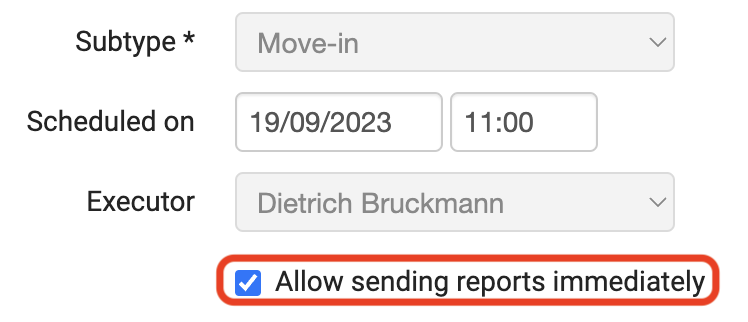
Of course, you should make sure that the e-mail address is filled in for these parties. Also, the option "Allow sending reports immediately" must remain ticked when you schedule an inspection in the Rental Manager:
Reports are created and sent only if you select "Generate reports and send" when finishing in the app and you synchronise:
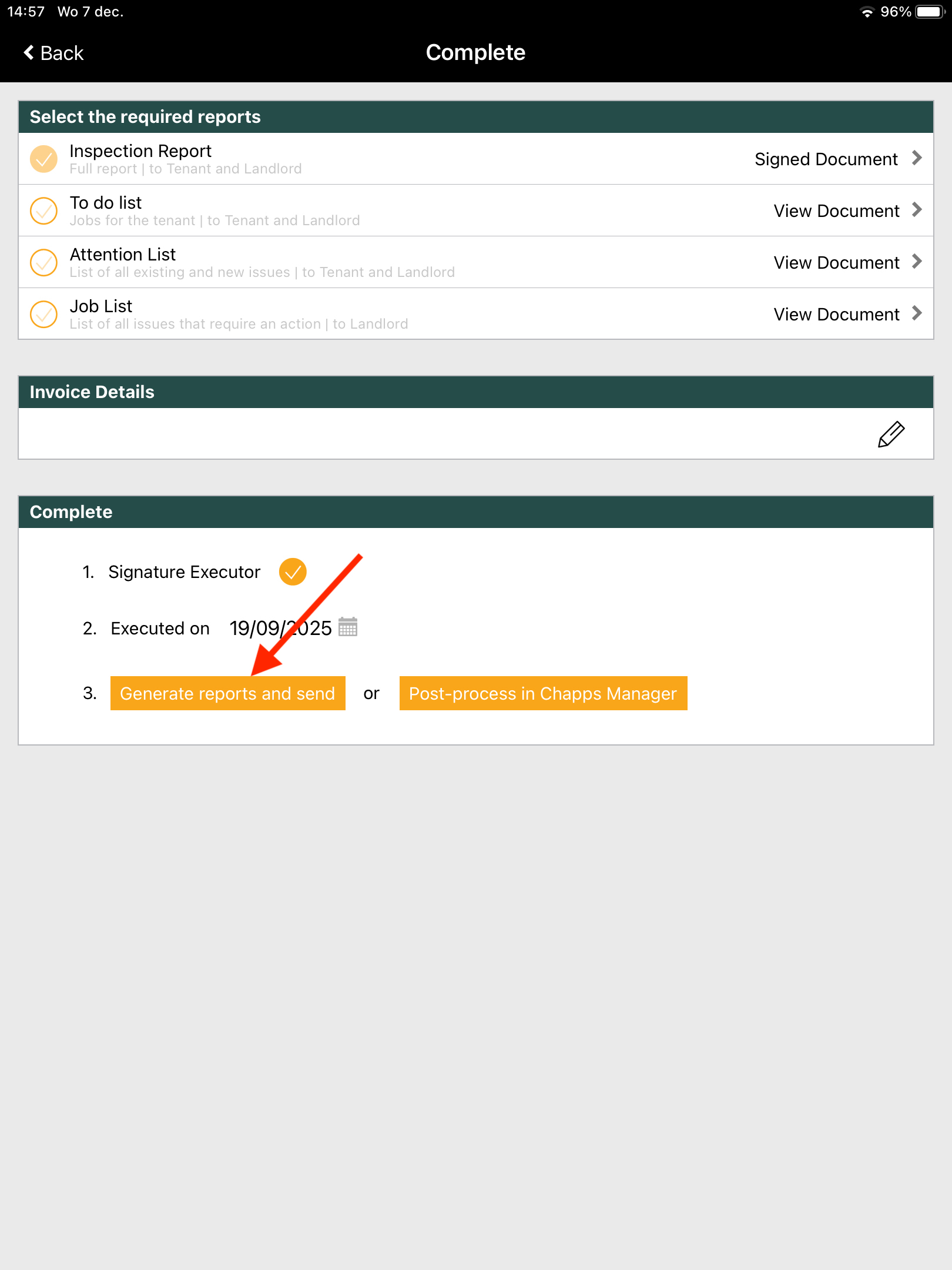
If you choose the other option (Post-process in Chapps Manager) then no reports are created nor sent. You then still have to create the reports yourself in the Rental Manager. The e-mails containing the reports may end up in spam. So be sure to check your e-mail's spam folder.
![]() Important tip
Important tip
Make sure you have linked your domain name to ensure a smooth delivery of your report emails.