
Deactivating a user
If an employee no longer needs access, you can deactivate their account. The released licence can then be reused for another user.
How to deactivate a user:
-
Go to Users in the Rental Manager menu.
-
Select the user you want to deactivate.
-
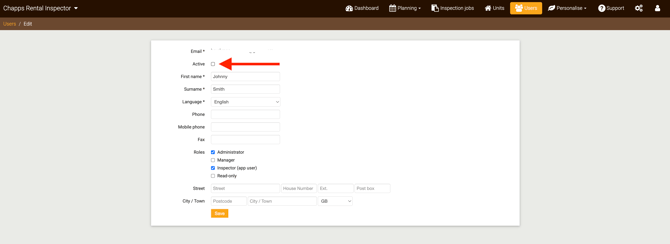
Disable the checkbox next to Active.
-
Click Save to confirm the changes.
The user is now deactivated and can no longer log in.
Adding a new user
Once a user has been deactivated, you can add a new colleague.
-
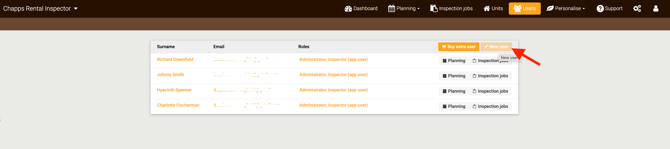
Click New user in the top right corner.
-
Enter the user’s details, such as first name, last name and email address.
-
Select the appropriate access rights using the checkboxes.
-
Click Save.
The new user will automatically receive an email invitation to activate their account and set a password.
After activation, the user can log in to the app. If the user also has access to Rental Manager, they can log in via https://account.chapps.com.
Important note
If you only have one user account, you cannot modify your own user details. In that case, please contact Chapps support for assistance.